Try the workspace before choosing a plan.
 Get Nukodes
Field system 01 · Nigerian business operations
Sales, stock, money—one operating record
Nukodes keeps the working parts of the business on the same page, from the first sale to the records you review at closing.
Mobile and desktop · 15 days to inspect the workspace.
What happened today?One answer, not four notebooks.
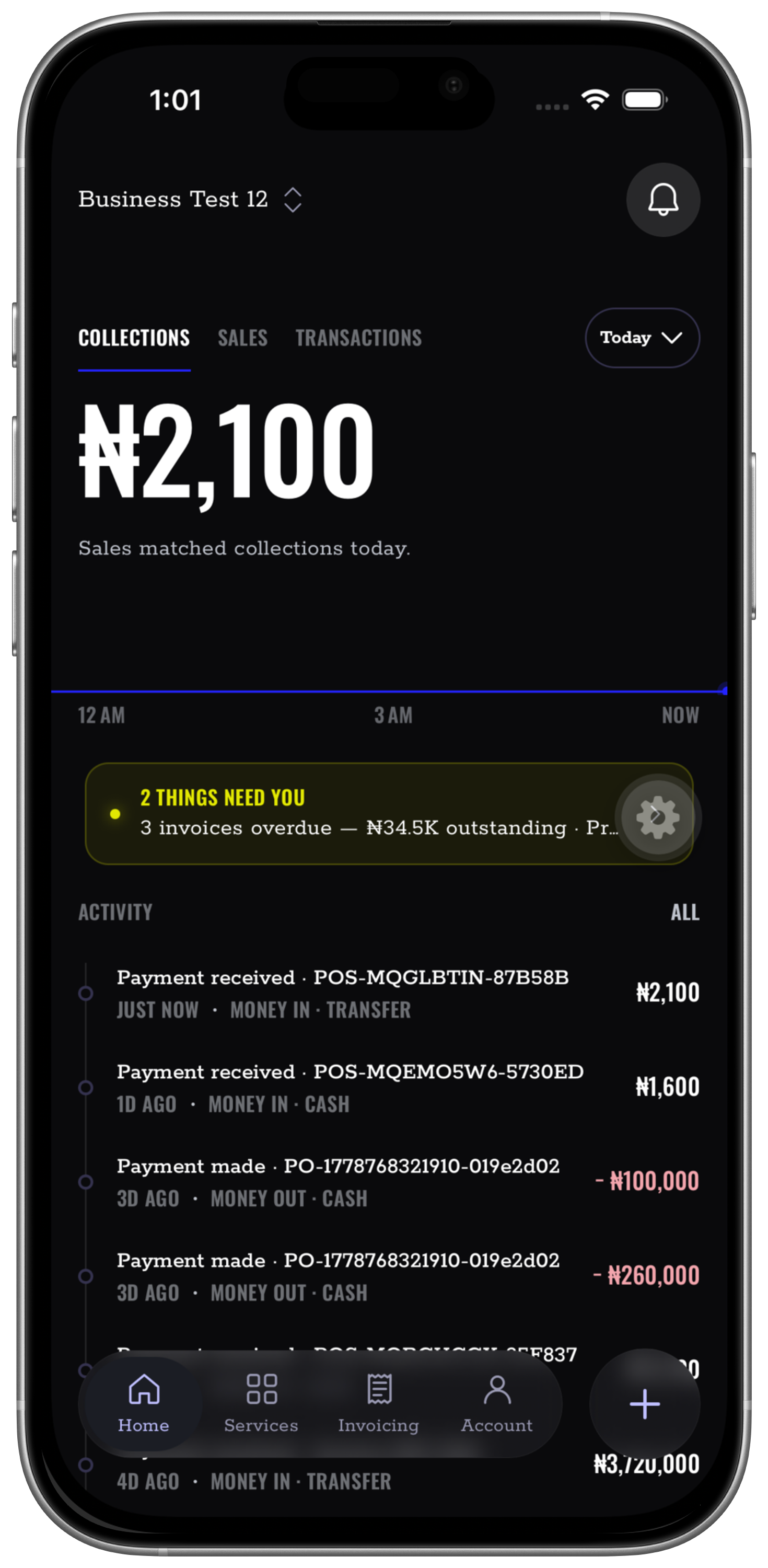
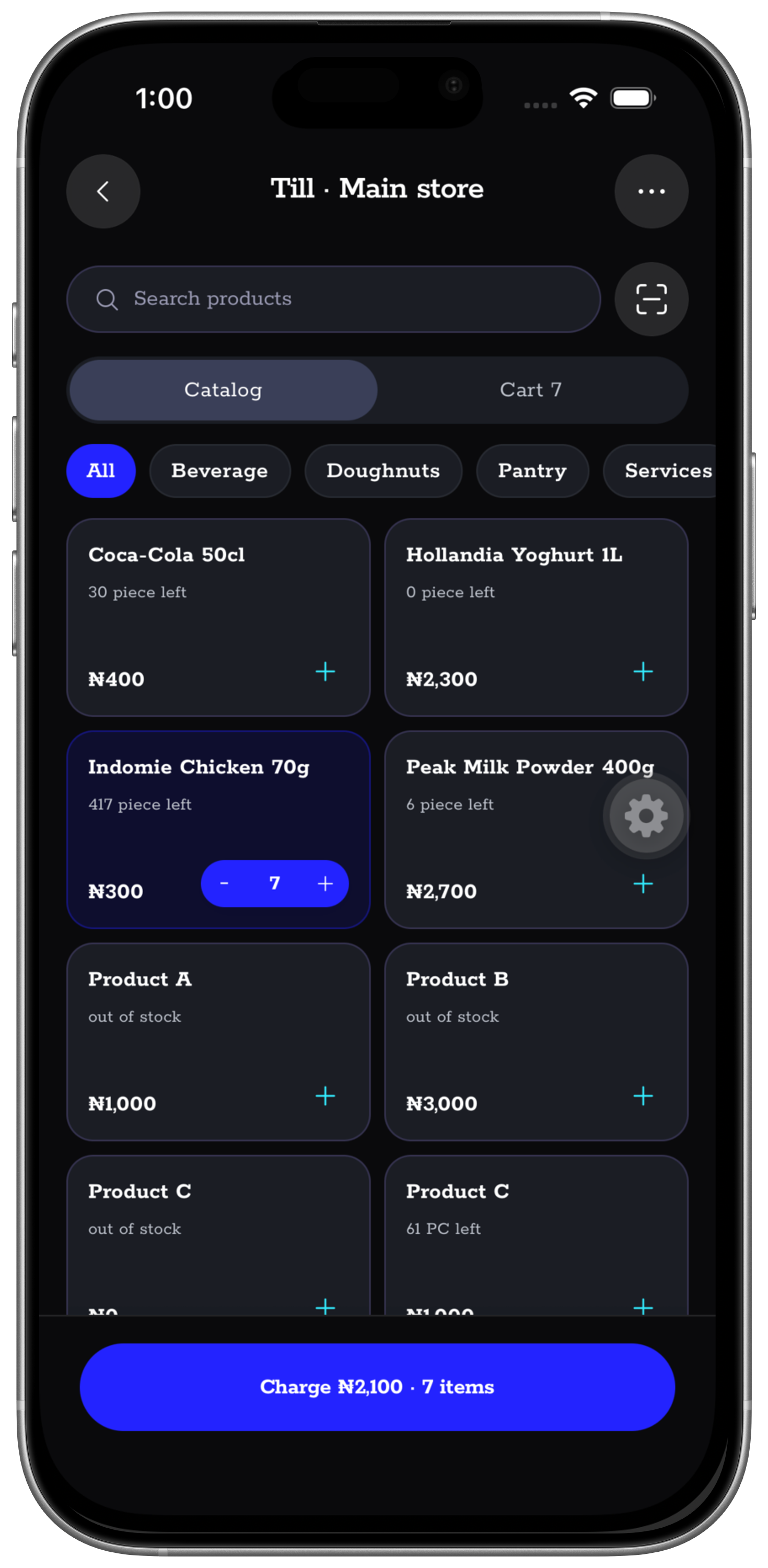
Keep core records moving when connectivity drops.
Give each person the access their work requires.
NUKODES LIMITED · RC/CAC 9537506
Three high-value flows
The places where missing context usually costs the business.
Nukodes connects the counter, the bank, and the approval trail so owners can inspect what happened without chasing separate stories.
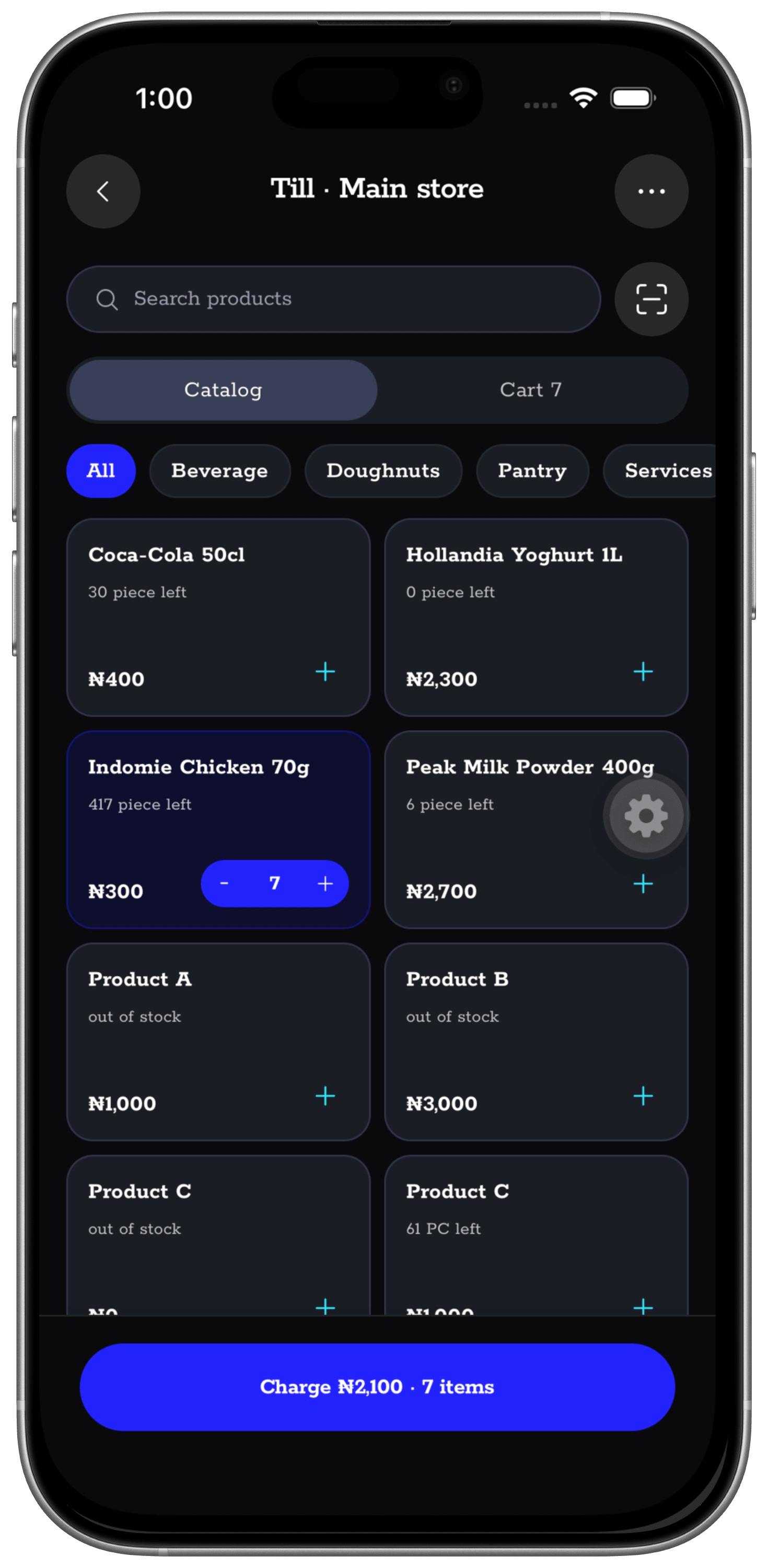
01Point of sale · Moniepoint
The till and terminal can share the same sale.
Pair a supported Moniepoint terminal, send the payment from Nukodes, and keep the confirmed terminal transaction beside the cart, receipt, and stock movement.
02Connected banking · Reconciliation
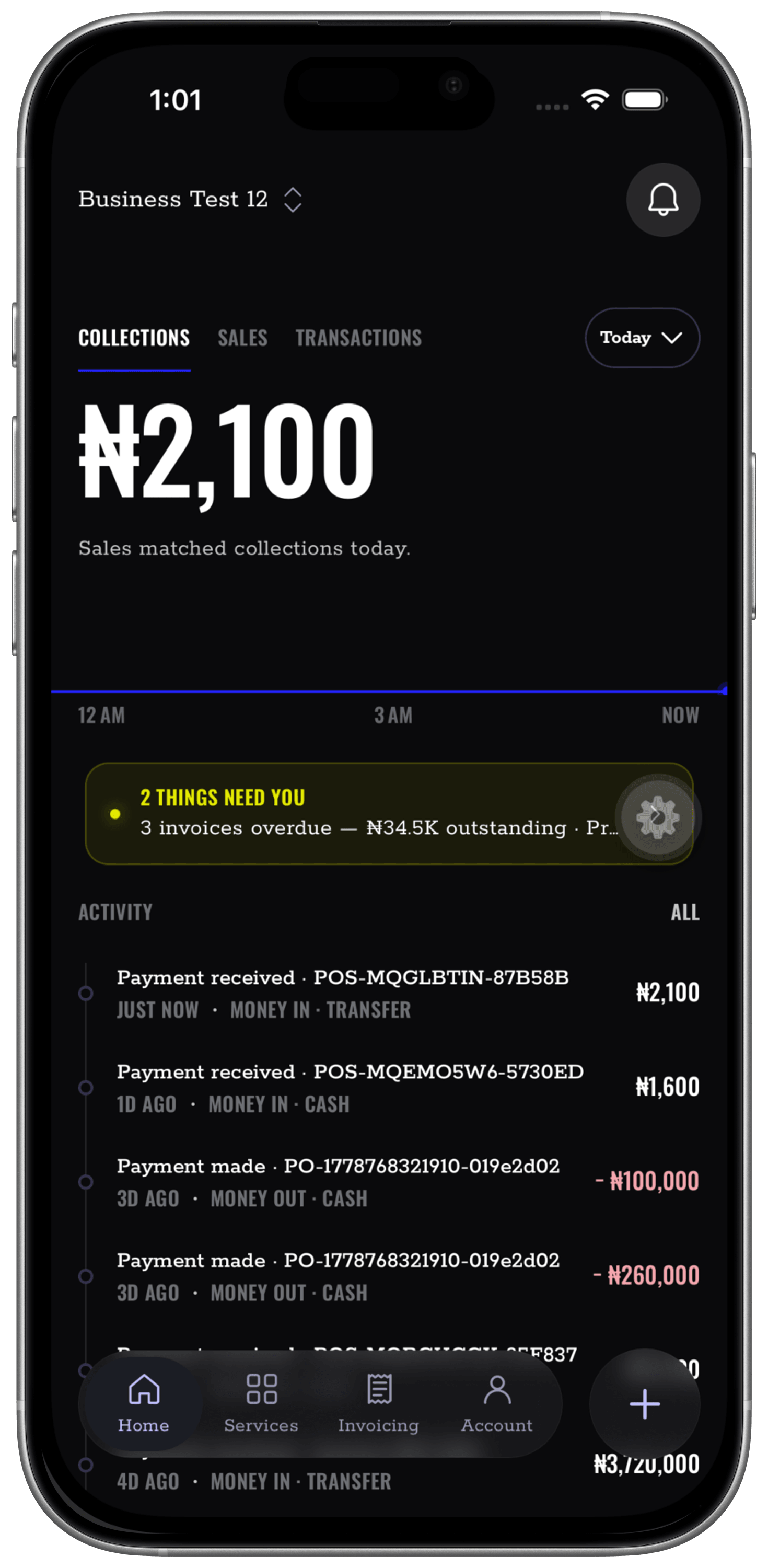
See what the bank says beside what the business recorded.
Connect an eligible business account, review balances and transactions, then match deposits to sales or invoices and debits to expenses. Unmatched activity stays visible for investigation.
03Transfers · Approvals
Move money with a second set of eyes.
Create a transfer request, route it to the right approvers, and keep the beneficiary, decision, status, and business reason together in the operational trail.
What sits inside
Enough range to run the day. One record underneath it.
Nukodes brings the daily moving parts together without pretending every business follows the same routine.
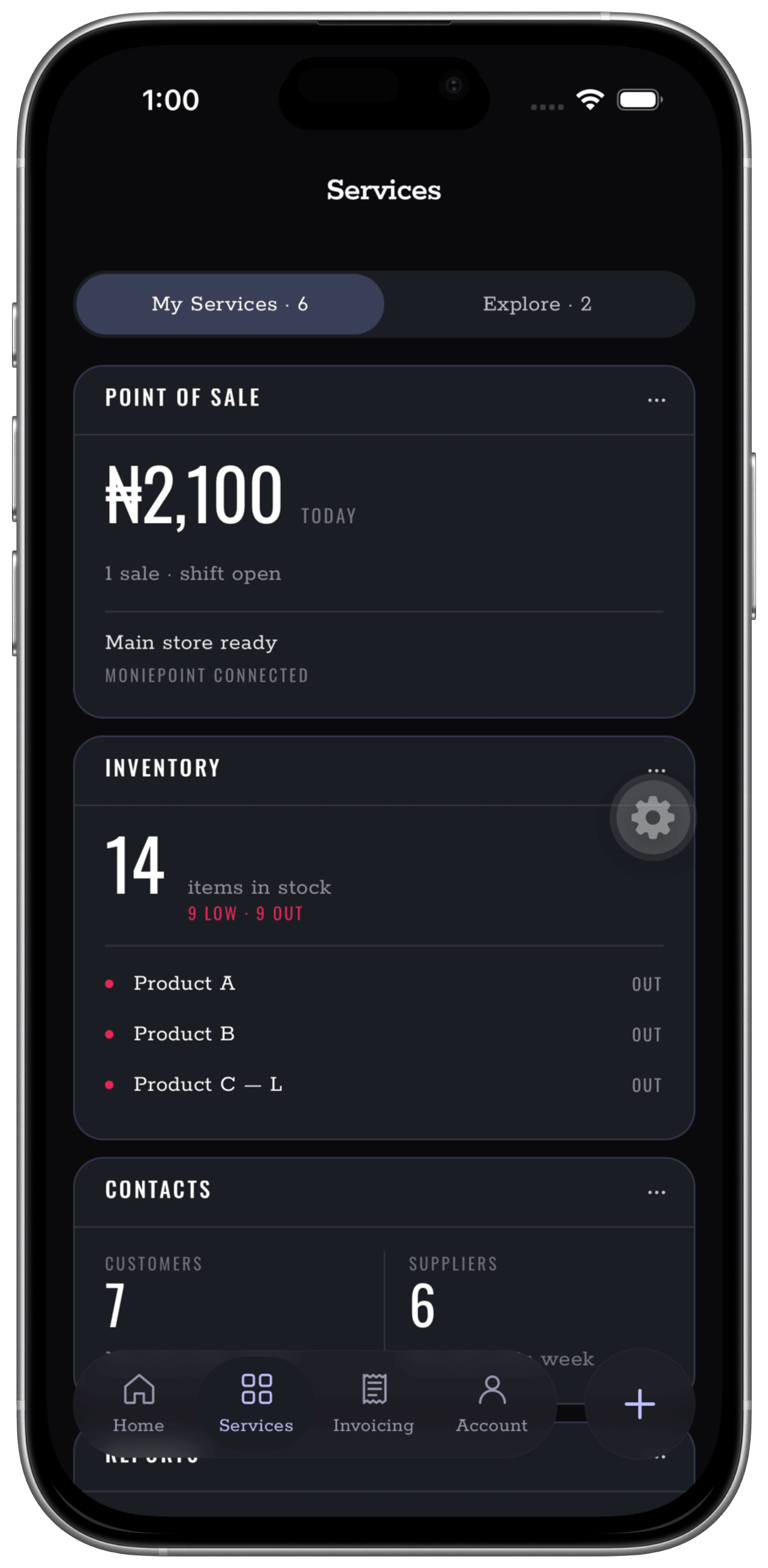
POS, invoices, receipts, and customer context
Record cash, terminal, transfer, and invoice activity without separating the sale from the details needed later.
Products, batches, suppliers, and movement
Follow availability, low-stock pressure, purchase orders, and transfers across the places your team works.
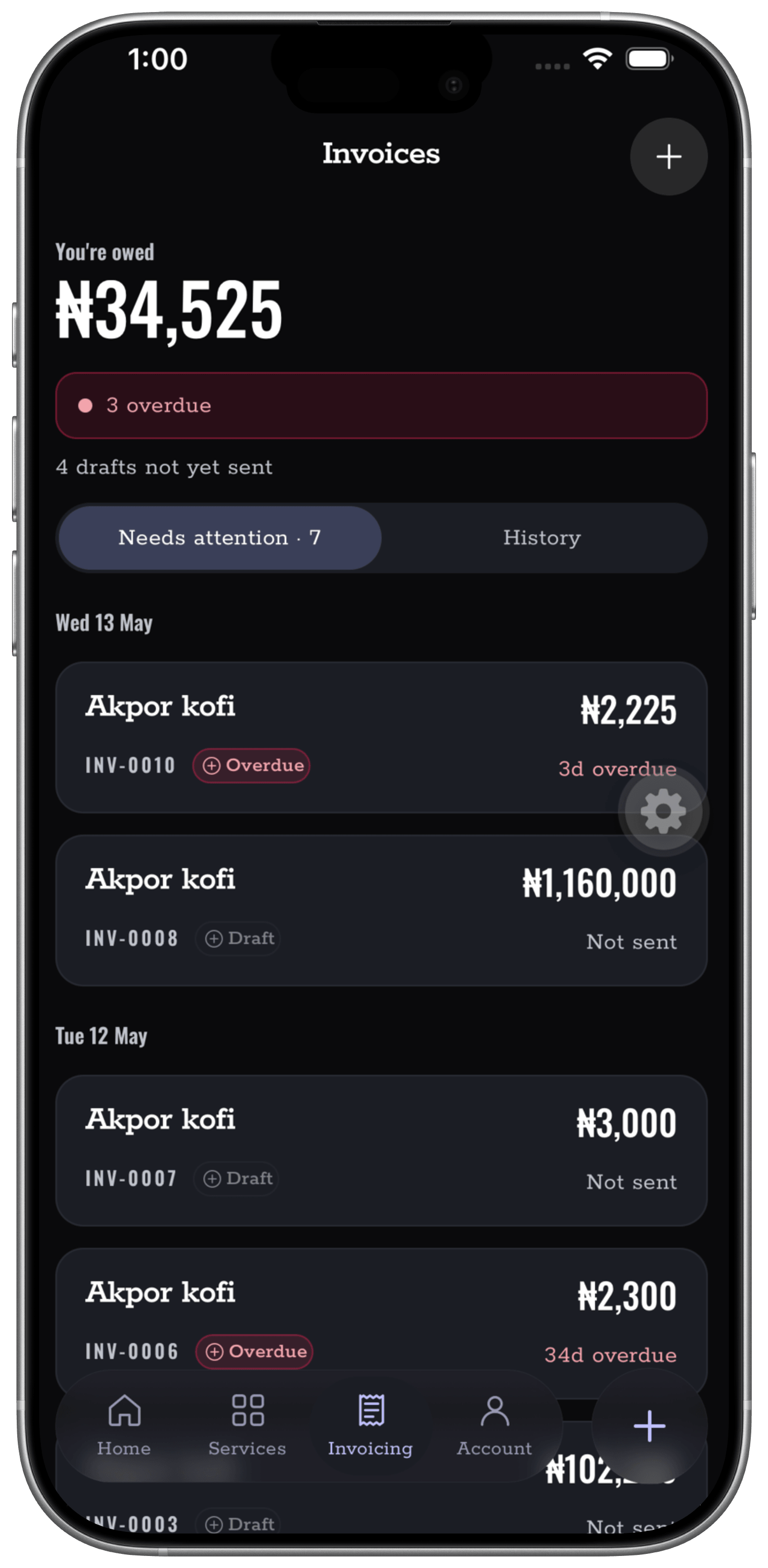
Collections, expenses, balances, and requests
Keep money movement beside the work that caused it, with roles and approvals for the people involved.
Receipts, categories, activity, and history
Build a cleaner operational trail throughout the day instead of reconstructing the business after closing.
The product is the proof
Real screens. Real operating context.
No invented performance number and no borrowed customer quote. These are views from the Nukodes product, shown so you can judge the workflow itself.
Find your starting point
Different businesses. The same need for a clearer trail.
Before you try it
Straight answers to practical questions.
What Nukodes does, where it fits, and where the boundaries are.
What happens when the internet becomes unreliable?
Core business records can keep moving and sync when connectivity returns. Actions that depend on an external provider still require that provider network.
Do we have to replace our bank or POS terminal?
No. Nukodes is designed to sit around the tools the business already uses, including cash, bank transfers, POS terminals, invoices, and payment links.
Can staff work without seeing owner-level information?
Yes. Team workspaces, roles, permissions, and approval flows help each person access the part of the operation their work requires.
Is Nukodes a bank or tax adviser?
No. Nukodes is business-management software. It helps organize operational records, but it does not replace a bank, accountant, or tax adviser.
15 days to explore
See whether the workspace fits the way your business already works.
Includes 15 days to inspect the workspace before choosing a paid plan.